Editing Website Content
Tips and help for editing your website content in WordPress.
-
Editing Website Content
Footnotes

The WordPress Block Editor makes it easy to add footnotes or references at the bottom of a post. Footnotes can be added as you go, or at any time when editing, and appear in a block at the bottom of the page.
-
Editing Website Content
Finding Your Way Around the Block Editor

The WordPress Block Editor provides several helpful methods for finding your way around the editor and ensuring you are interacting with the right block. These include the post breadcrumbs in the footer, the parent block icon in the block control bar, and the document overview […]
-
Editing Website Content
Convert Existing Content into Blocks

What if your website has existing content which was written before the Block Editor came along? Or you have existing content and you want to migrate to a theme which supports the Block Editor. Must You Convert Existing Content into Blocks? You don’t HAVE to convert existing content into blocks – the page content will…
-
Editing Website Content
Copy from Word into the Block Editor
Many people like to write their content using a familiar program, such as Word or other word processing software. They write and edit the text until it is correct and readable, and then copy from Word and paste into the post or page in the WordPress website. This approach can be used with the Block…
-
Editing Website Content
How to Schedule Posts in the Future

Going off on holiday and want your website to continue to display new content at regular times? With WordPress, it’s quite simple to prepare new website content and then schedule those posts to be published in the future. Once you have written your post and you are ready to publish it, open the settings sidebar…
-
Editing Website Content
Website Page Layout Helper Blocks

There are several minor blocks which can be very helpful in enhancing layouts, or meeting specific layout needs. I call these the Layout Helper Blocks. These are More, Page Break, Separator, Spacer […]
-
Editing Website Content
Block Editor – Columns Block

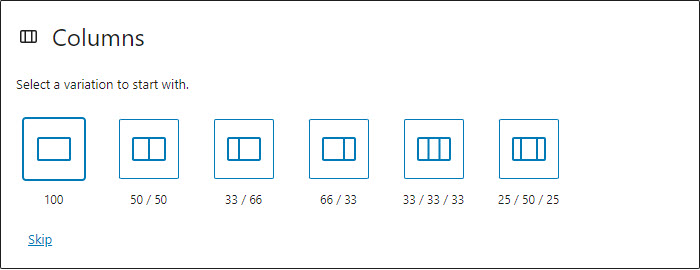
The Columns block can be very useful in helping to create attractive and interesting page layouts. You may choose from a variety of column layouts. Number of columns and column widths can easily be changed later, in the settings. Up to 6 columns are supported natively. The columns block has class wp-block-columns, the inner columns each…
-
Editing Website Content
Block Editor – Group Block

The Group block can be very useful in helping to create attractive and interesting page layouts. You can start by inserting a Group block and then adding the desired blocks inside the group. Or you can transform an existing block into a Group block – this has the effect of wrapping the current block inside…
-
Editing Website Content
Website Page Layout with the Block Editor

The Block Editor (also known as Gutenberg) provides some handy blocks which allow for the creation of attractive and interesting website and page layouts. Groups, Rows and Columns blocks, in combination with images and colour, can be used to create attractive and interesting website page layouts […]
-
Editing Website Content
Transform a Block into a Group or Column
The WordPress Block Editor offers a simple way to transform a block into a different type of block. Clicking on the block icon in the top left of the block control bar, you are offered a list of options. This is the set of blocks which are available possibilities for transforming the current block […]